
Laptop Screen Cracked? Repair vs. Replace

It happens in an instant. Your laptop slips off the couch, your bag lands a little too hard, or a curious toddler gets a little too enthusiastic — and suddenly you're staring at a web of cracks across your screen.
A cracked laptop screen is one of the most common repairs we see at Rocket Squad, and the first question is always the same: should I fix this, or is it time for a new laptop?
The answer depends on a few things — what kind of laptop you have, what kind of screen it uses, and whether the screen is the only thing wrong. Here's what you need to know to make the right call.
Not All Laptop Screens Are the Same
One of the biggest factors in any screen repair is the type of display your laptop uses. There's a wide range, and the differences have a real impact on what the repair involves.
Standard LCD screens.
These are the most common displays — the kind you'll find on most Dell Inspirons, HP Pavilions, Lenovo IdeaPads, and similar everyday laptops. They're widely available and the most straightforward to replace, which generally makes them the most affordable screen repair.
Touchscreens.
Touchscreen laptops and 2-in-1 convertibles (like the Lenovo Yoga or HP Envy x360) are more complex. The touch digitizer is bonded to the display panel, so you're replacing both components together. That means more expensive parts and a more involved repair.
4K, OLED, and high-resolution displays.
Premium ultrabooks with 4K or OLED screens — like the Dell XPS or Razer Blade — use specialty panels that cost significantly more to source. These are the highest-end screen replacements.
Microsoft Surface devices.
Surface laptops and tablets are in a category of their own. The screens are bonded to the chassis with adhesive rather than screws, making them especially labor-intensive to disassemble and reassemble. This adds to both the complexity and the cost of the repair.
One thing worth knowing: a screen replacement does not affect your files, programs, or settings. It's a hardware swap — your data stays exactly where it is.
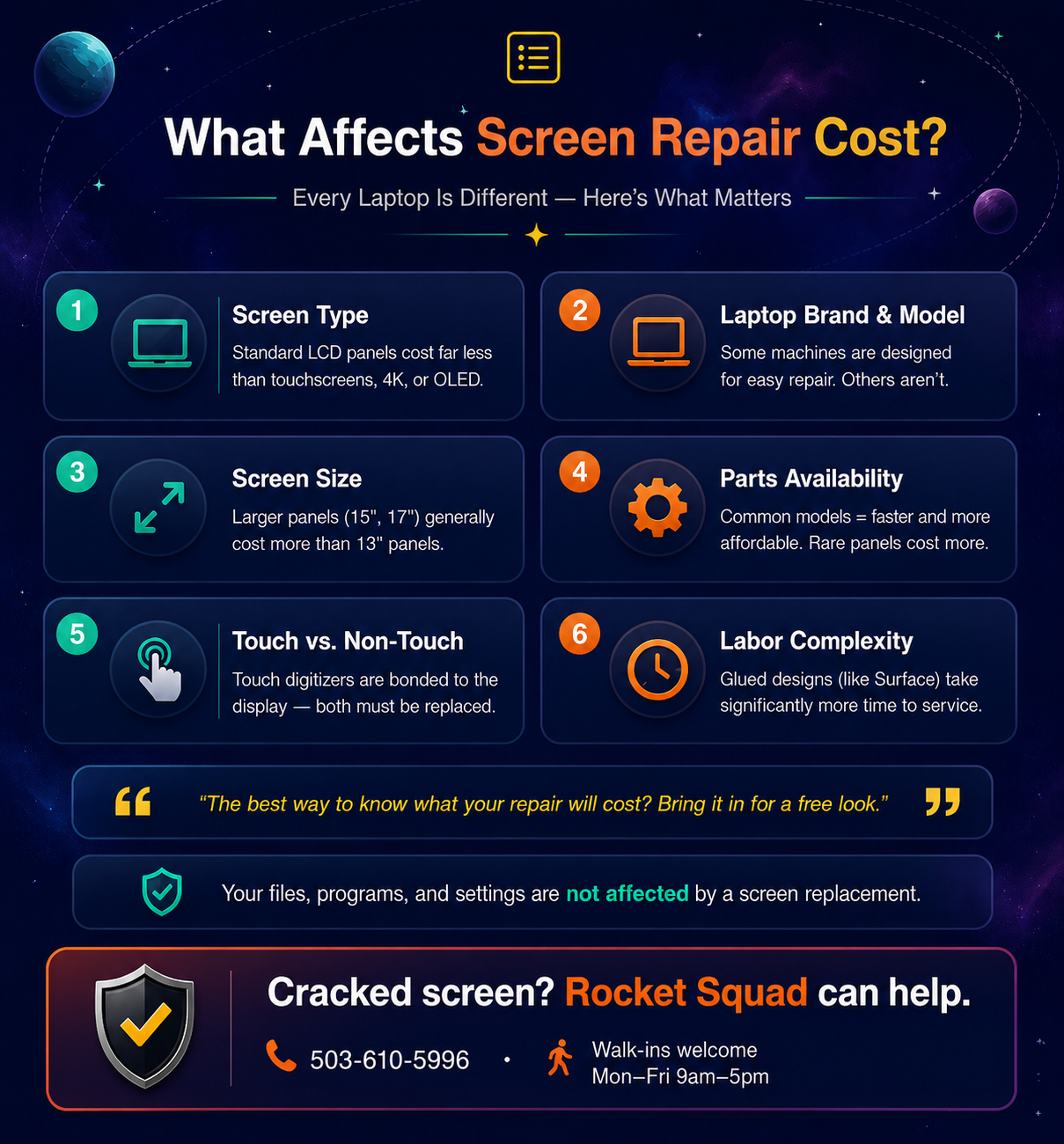
What Affects the Cost of a Screen Repair?
Screen replacement isn't one-size-fits-all. Here are the key factors that determine what your specific repair will cost.
Screen type and resolution.
This is the biggest variable. A standard 1080p LCD panel costs a fraction of what a 4K OLED touchscreen does. The more advanced the display technology, the more the part itself costs.
Laptop brand and model.
Some machines are designed with repairability in mind — the screen pops off with a few screws and a simple connector. Others require extensive disassembly just to safely access the display. More labor means a higher repair cost.
Screen size.
A 13-inch panel is generally less expensive than a 15- or 17-inch panel. Larger screens use more material and can be a more complex swap.
Parts availability.
If the replacement panel for your specific model is common and in stock, the repair moves fast. If it needs to be special-ordered — which can happen with older or discontinued models — that adds time and sometimes cost.
The best way to know exactly what your repair will cost is to bring it in. At Rocket Squad, we'll look at your machine, identify the right part, and give you a clear quote before any work begins.
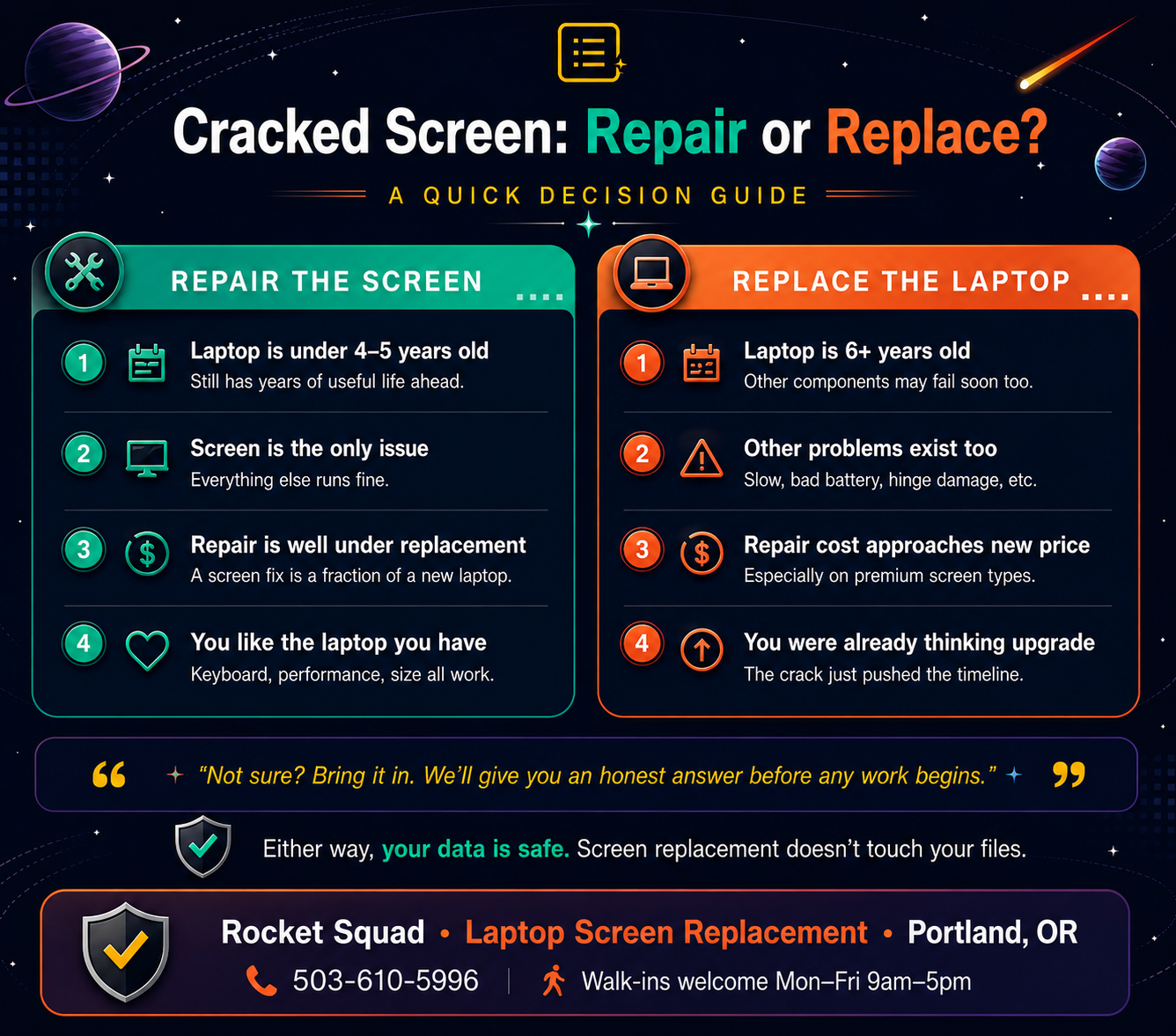
Should You Repair the Screen or Replace the Laptop?
This is the real question, and it's one we help people answer every day at our Portland service center. Here's a simple way to think about it.
Screen repair usually makes sense when: Your laptop is less than four or five years old, the screen is the only thing wrong, the repair cost is well below what a comparable new laptop would cost, and you're happy with the laptop's performance otherwise. For most people with a relatively recent machine, a screen replacement is the clear winner.
Replacing the laptop starts to make more sense when: Your machine is already six-plus years old, you're dealing with other issues on top of the cracked screen (sluggish performance, dying battery, hinge damage), or the screen type is expensive enough that the repair cost starts approaching the price of a new machine.
There's also a middle scenario worth considering: if your laptop is a few years old and could use a performance boost, you might pair the screen repair with an SSD or memory upgrade. For a modest additional cost, you can walk out with a machine that feels brand new.
At Rocket Squad, if we don't think a repair makes financial sense for your situation, we'll tell you — and we can help you get set up with a new machine if that's the better path.
Why Not Just Replace the Screen Yourself?
If you've searched for your laptop model online, you've probably seen YouTube videos and screen kits that make it look like a quick weekend project. And for some models, it can be — if you know what you're doing.
But there are real risks. Laptops are packed with fragile ribbon cables, thin connectors, and delicate components that are easy to damage during disassembly. A slip with a pry tool can crack the bezel, tear a cable, or damage the hinge — turning a screen-only repair into a much bigger problem.
There's also the question of getting the right part. Laptop screens aren't one-size-fits-all. Even within the same model line, there can be multiple panel versions with different connectors, resolutions, or backlighting. Installing the wrong panel can mean a screen that doesn't display properly — or doesn't work at all.
A professional replacement takes the guesswork out of it. You get the right part, a clean installation, and the confidence that nothing else was damaged in the process.
Cracked Screen? Let's Take a Look.
If your laptop screen is cracked, flickering, or showing lines, bring it by Rocket Squad on NE Broadway in Portland. We'll take a look, tell you exactly what the repair will cost, and help you decide whether it makes sense — before any work begins. We handle screen replacements on all major Windows brands including Dell, HP, Lenovo, ASUS, Acer, Microsoft Surface, MSI, Razer, and more. Most screen replacements are completed in one to three business days.