
Rocket Tune Explained: What Our Signature Tune-Up Actually Does
You know that feeling when your computer just isn’t keeping up anymore? Maybe it takes forever to boot. Maybe Chrome feels like it’s wading through mud. Maybe you’ve got pop-ups you don’t remember agreeing to, or programs you’re pretty sure you never installed.
These aren’t signs that your computer is dying. Most of the time, they’re signs that it just needs some attention. That’s what our Rocket Tune is for.
Rocket Tune is our signature tune-up service — a thorough process designed to get your PC running the way it should, usually back in your hands the next day. It’s one of the most popular services we offer at Rocket Squad, and for a lot of customers, it’s the only thing their computer needed all along.
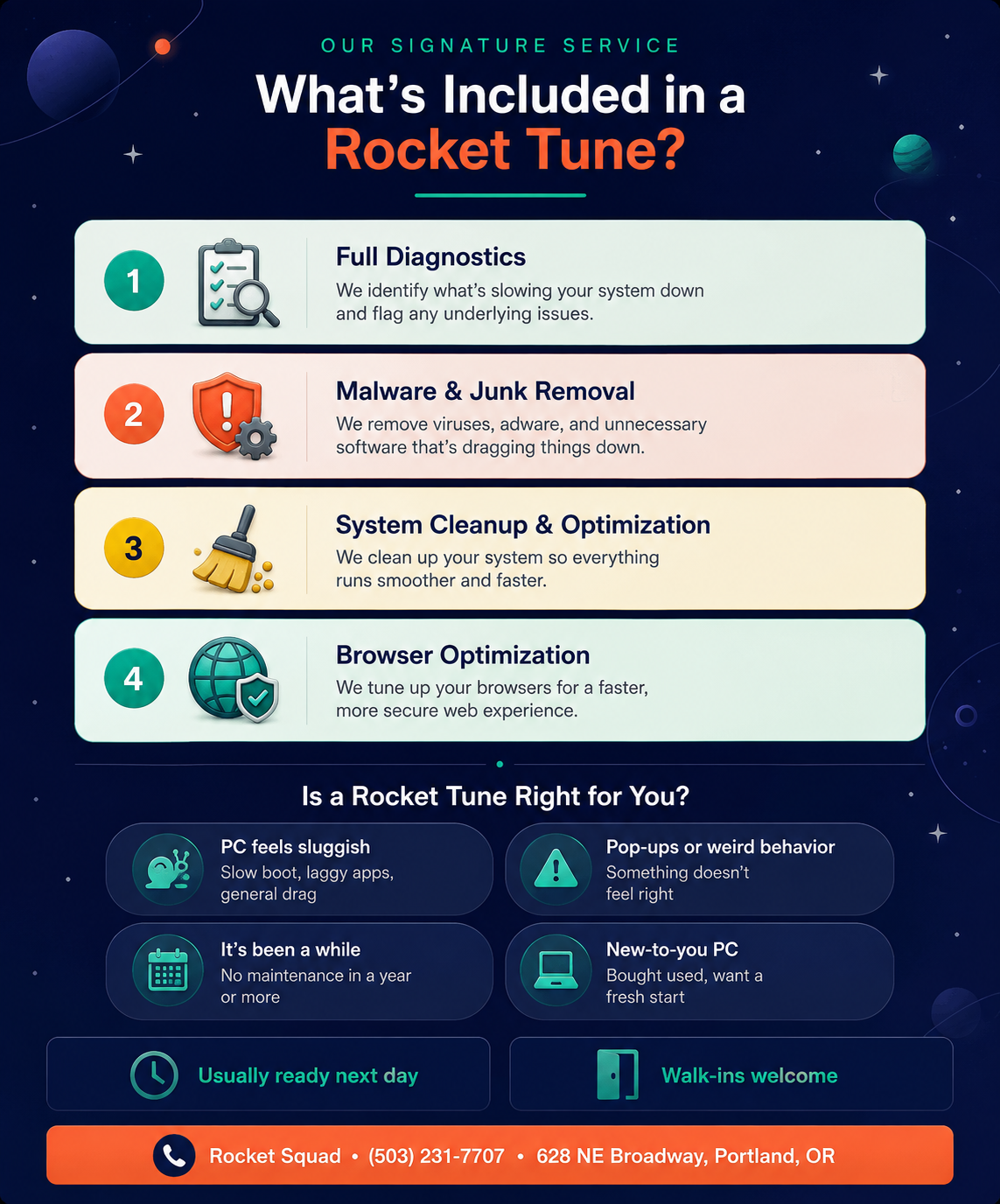
What’s Included in a Rocket Tune?
Every Rocket Tune starts with a conversation. We want to know what’s been bugging you — what feels slow, what’s acting weird, what changed. From there, our technicians work through a comprehensive process tailored to your machine.
Step 1: Full diagnostics.
Before we touch anything, we run a thorough diagnostic check on your system. This helps us understand exactly what’s going on under the hood — what’s consuming resources, what’s running at startup, whether there are any hardware issues contributing to slowness, and whether anything is flagged as a concern. Think of it as a full checkup before the treatment begins.
Step 2: Malware and junk removal.
One of the most common reasons PCs slow down is software you didn’t ask for. Adware, browser hijackers, potentially unwanted programs, toolbars, and sometimes outright malware can pile up over time and quietly eat your system’s resources. We identify and remove all of it — the stuff you can see and the stuff you can’t.
Step 3: System cleanup and optimization.
Once the junk is gone, we clean up what’s left. This includes addressing startup bloat, clearing out temporary files and clutter, and making sure your system is configured to run efficiently. The goal is to strip away anything that’s slowing your computer down and let the hardware do what it’s capable of.
Step 4: Browser optimization.
Your web browser is probably the app you use more than anything else, and it’s often a major source of slowness, pop-ups, and security issues. We optimize your browsers — cleaning up problematic extensions, clearing out cached junk, and making sure your browsing experience is faster and more secure.
What Does It Feel Like After?
Customers often tell us it feels like they got a new computer. Boot times come down. Programs open faster. The browser stops fighting them. Pop-ups and weird behavior disappear. It’s not magic — it’s just what happens when you clear out the digital cobwebs and let the machine breathe.
For PCs that are two to five years old, a Rocket Tune can genuinely extend the useful life of the machine by making it feel responsive again. It’s almost always more cost-effective than buying a new computer.
Who Is a Rocket Tune For?
The short answer: anyone whose PC doesn’t feel as fast as it used to. But we see a few common scenarios come through our door.
Your computer has gotten noticeably slower. Maybe it was fine six months ago and now everything takes twice as long. That buildup of software clutter, background processes, and potential malware is exactly what a Rocket Tune is designed to address.
You’re seeing pop-ups, ads, or other unwanted behavior. If something feels off — unexpected ads, browser redirects, programs you don’t recognize — there’s likely something running on your system that shouldn’t be.
It’s been a while since any maintenance. If you can’t remember the last time anyone looked at your computer, a Rocket Tune is a great way to get it back to a clean, optimized state.
You just got a used or hand-me-down PC. Starting fresh with a tuned-up machine gives you a clean slate without having to do a full factory reset.
How Long Does It Take?
Most Rocket Tunes are ready the next day. You can drop off your PC at our shop on NE Broadway, and in most cases we’ll have it back to you within 24 hours. If your machine needs more attention than expected, we’ll let you know and give you a realistic timeline. Walk-ins are welcome, or you can schedule a drop-off in advance.
Is It the Same as a Virus Removal?
Not exactly. If you have an active virus or malware infection with specific symptoms — locked files, hijacked accounts, security software that’s been disabled — that’s a more targeted repair. A Rocket Tune does include malware removal as part of the process, but it’s a broader service focused on overall performance and health, not just threat removal.
That said, if we discover something more serious during a Rocket Tune, we’ll let you know and walk you through your options before doing any additional work.
Can a Rocket Tune Fix Everything?
A Rocket Tune addresses software-side slowness, which is the culprit in the vast majority of “my computer is slow” cases. But if your machine has a hardware issue — a failing hard drive, insufficient RAM, or an aging processor that simply can’t keep up with modern software — a tune-up alone won’t solve that.
The good news is that our diagnostics will catch those issues. If we find that your PC would benefit from an SSD upgrade, a RAM boost, or another hardware fix, we’ll recommend it and give you a clear quote. Many customers pair a Rocket Tune with an SSD upgrade and walk away with a machine that genuinely feels brand new.
Ready to Give Your PC a Tune-Up?
If your computer has been feeling sluggish, a Rocket Tune might be exactly what it needs. Bring it by Rocket Squad on NE Broadway in Portland and we’ll take it from there — diagnostics, cleanup, optimization, usually back to you the next day. No pressure, no surprises, just a faster, cleaner PC.
Ready for a Rocket Tune?
Call us at (503) 231-7707
Walk-ins welcome — 628 NE Broadway, Suite #140, Portland, OR 97232
Monday–Friday, 9am–5pm — Usually ready the next day