
Is Your Laptop Battery Dying? Signs It’s Time for a Replacement

Laptop batteries don’t last forever. They’re designed to hold a certain number of charge cycles, and once they’ve reached that limit, performance starts to decline. It’s not usually sudden — it’s a gradual slide that’s easy to ignore until one day your laptop barely makes it through a meeting without being plugged in.
Here are the warning signs that your battery is on its way out, what you should do about it, and when it becomes a safety issue you shouldn’t ignore.
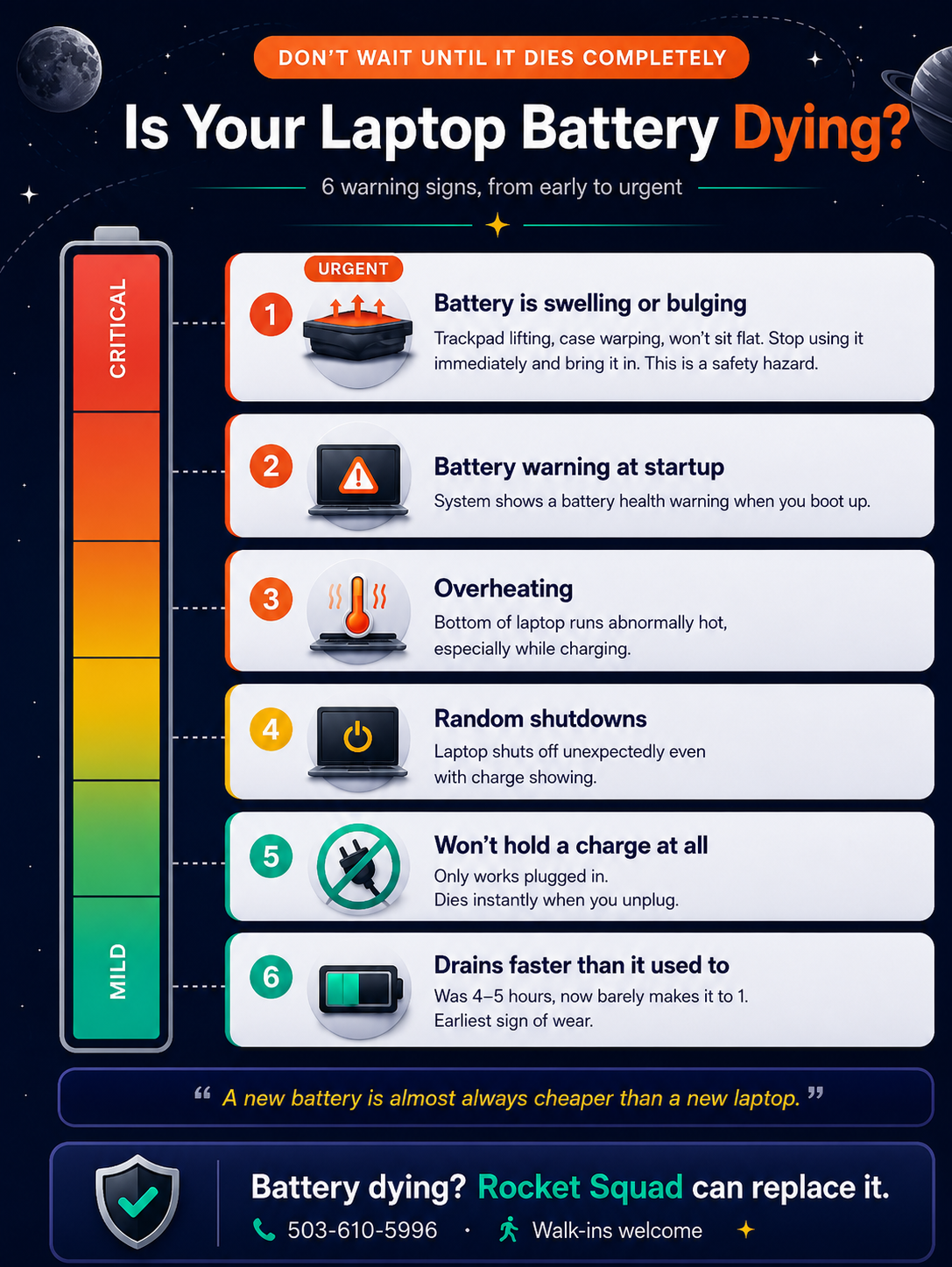
Warning Signs Your Battery Is Failing
It drains much faster than it used to.
If your laptop used to last four or five hours on a charge and now it’s barely making it to one, the battery’s capacity has degraded significantly. This is the most common early sign.
It won’t hold a charge at all.
If your laptop only works when it’s plugged in and dies the instant you unplug it, the battery is essentially dead. At this point, you’re running a desktop with extra steps.
Your laptop shuts down randomly.
A failing battery can cause unexpected shutdowns, even when the battery indicator shows charge remaining. This happens because the battery can no longer deliver consistent power.
The battery is swelling or bulging.
This is the one you absolutely should not ignore. If your trackpad feels raised, your laptop case is warping, or your machine doesn’t sit flat on a table anymore, the battery may be swelling. Stop using your laptop and bring it in immediately. A swollen battery is a safety hazard.
Your laptop is running unusually hot.
A degrading battery can generate excess heat, especially during charging. If the bottom of your laptop feels noticeably hotter than it used to — particularly near where the battery sits — that’s worth paying attention to.
Windows is telling you.
Windows will sometimes display a notification in the taskbar that says “Consider replacing your battery.” If you’re seeing this message, it means Windows has detected that the battery’s health has dropped below a usable threshold.
Can You Replace a Laptop Battery Yourself?
On some older laptop models with removable batteries, yes — you pop the old one out and snap a new one in. But most modern laptops have internal batteries that are secured with screws, adhesive, or ribbon cables. Getting to the battery means opening the laptop, and in some cases disconnecting other components to access it safely.
There’s also the question of sourcing the right battery. Third-party batteries vary widely in quality, and a cheap replacement can cause more problems than it solves — including poor battery life, charging issues, or in rare cases, safety concerns.
A professional replacement ensures you get the right part installed correctly, without risking damage to other components inside your machine.
Is a Battery Replacement Worth It?
In almost every case, yes. A new battery is significantly less expensive than a new laptop, and if your machine is otherwise running well, there’s no reason to replace the whole thing just because the battery has worn out. It’s one of the most cost-effective repairs you can do.
The exception is if your laptop is already quite old and struggling in other ways — slow performance, outdated specs, other hardware issues. In that case, a battery replacement might not be the best use of your money, and we’ll tell you so.
Battery on Its Last Legs? We Can Help.
If your laptop battery isn’t holding up like it used to, bring it by Rocket Squad on NE Broadway in Portland. We’ll check the battery health, let you know what’s going on, and give you a clear quote for a replacement. We carry batteries for most major Windows laptop brands including Dell, HP, Lenovo, ASUS, Acer, and more.